Business Automation Start here
Business automation, in plain words
Business automation sounds technical, but it is a simple idea: a rule that does a repeat chore for you. This guide explains how it works, why it matters, and where a person should stay in charge.
i · a phone buzzes while a plumber is under a sink
Business automation, in one sentence
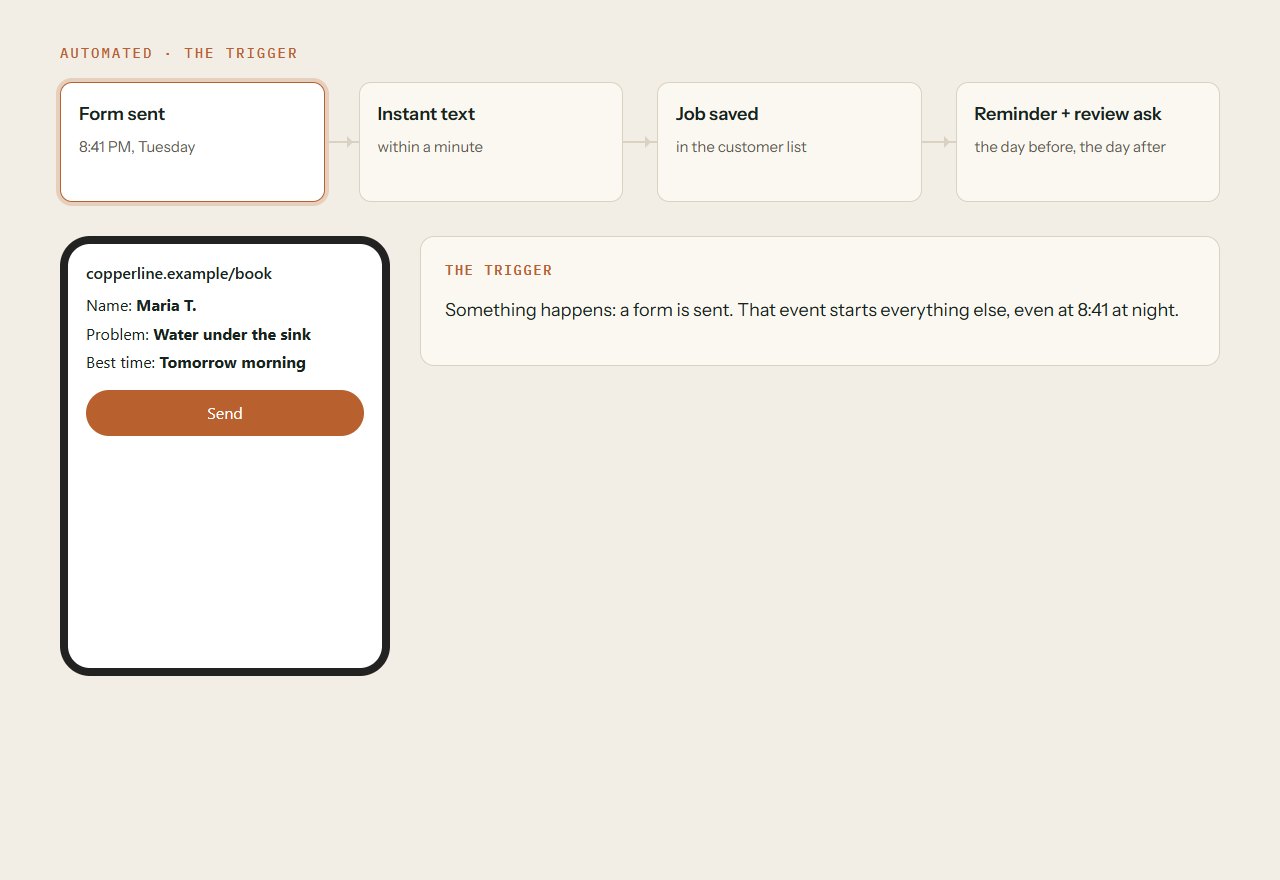
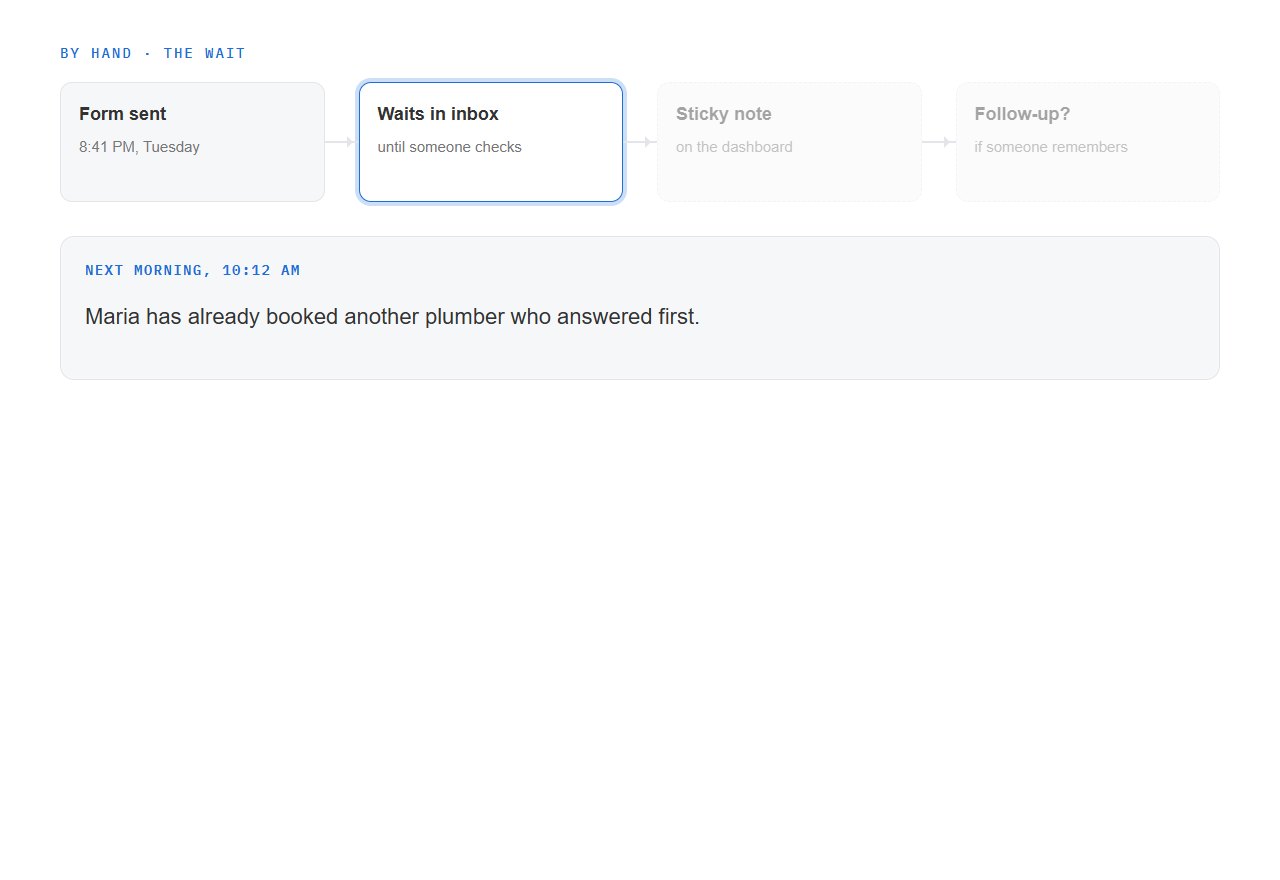
Picture Copperline, a small plumbing company. At seven in the evening a customer sends a booking request. The owner is under a sink with wet hands, and nobody sees the message until morning.
Business automation is a rule that lets software do a repeat chore the moment something happens, so you never have to.
IBM describes it as using automation tools to handle repetitive work. The U.S. Chamber of Commerce adds that software does the task with little human involvement.
Sources draw the line in different places. The simplest kind follows fixed if-this-then-that rules, while AI-based tools can adapt to new information. Both count as automation.
You do not need to buy equipment to try it. Cloud platforms, which are online services you rent instead of installing, now put automation within reach of companies of all sizes.
ii · a pipe, a valve, a gauge, a note
The four parts of every automation
Every automation, however fancy it looks, is built from the same four parts. Copperline's booking form shows each one.
First comes the trigger. A task runs by itself when a set condition is met. A customer sending the form is one example.
A trigger can also be an event in a CRM, such as a deal reaching a set stage.
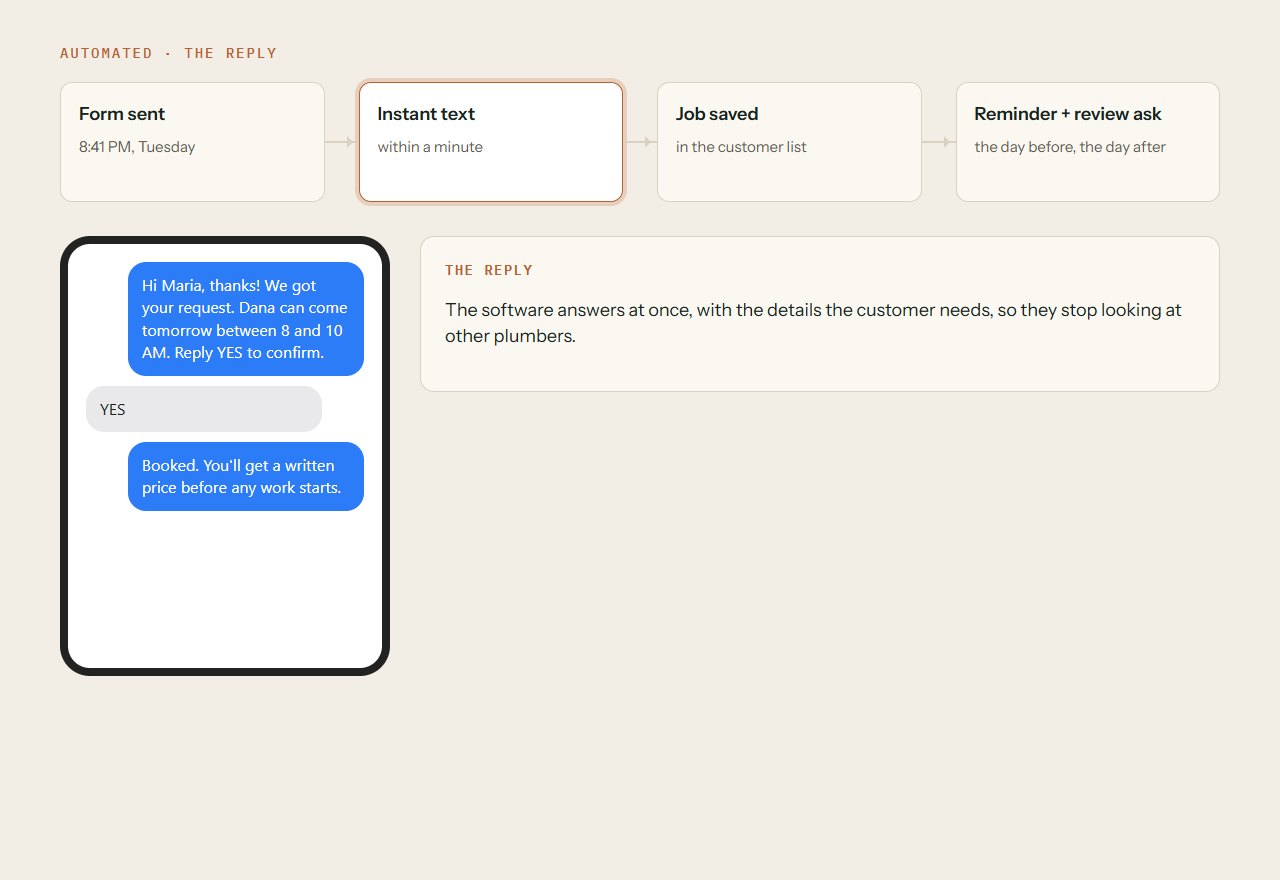
Second is the action. The simplest automation pairs one rule with one chore: if X happens, do Y. For Copperline, Y is a text that says the request arrived.
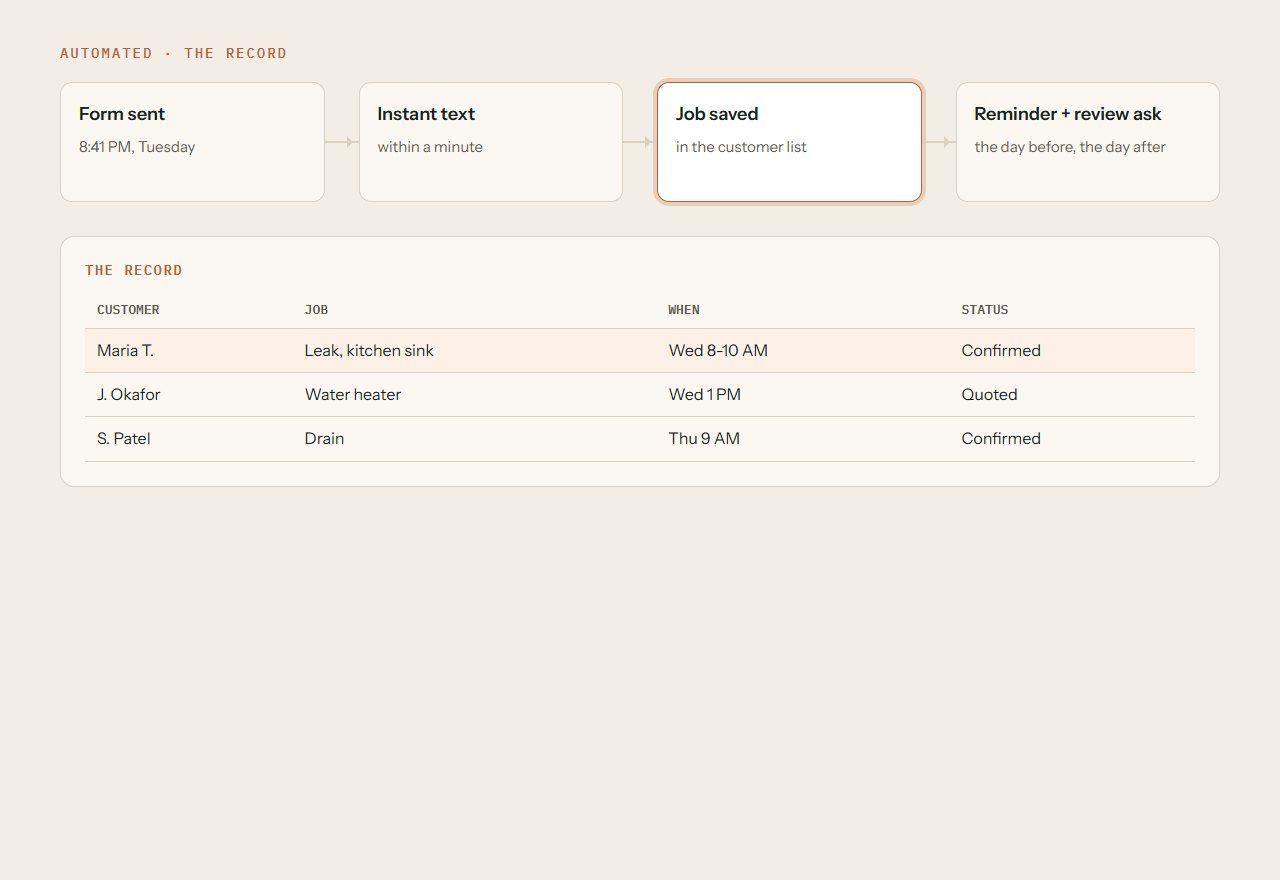
Third is the record. The action step can write a record into another business app. The job lands in the customer file, and nobody types it twice.
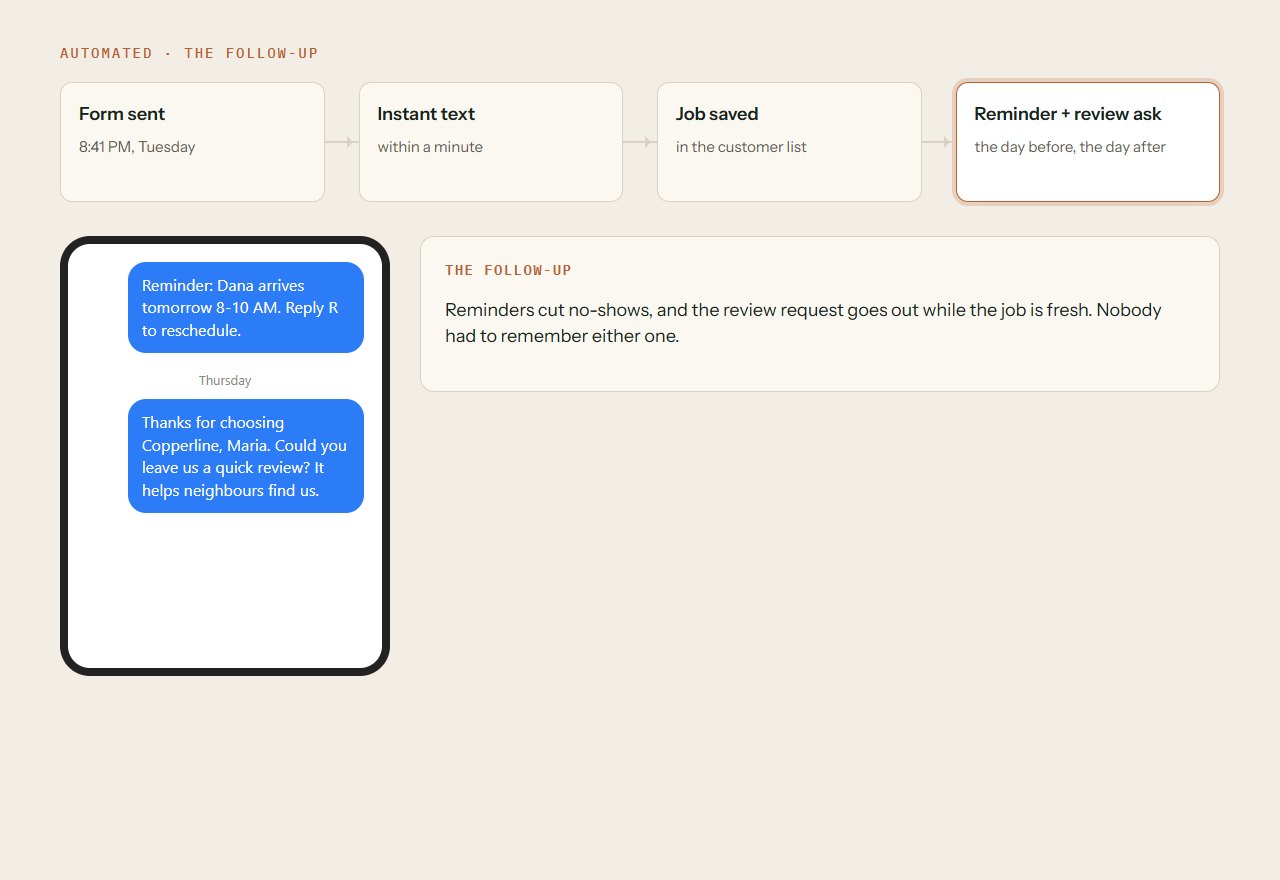
Fourth is the follow-up, a message that goes out later. Think of a reminder before the visit and a thank-you after it. The next section covers both.
The form is sent
Nobody presses anything. The customer's own action starts the rule.
A text goes out
The customer sees a message within moments, while the owner is still on the job.
The job is saved
Name, address and problem are filed in one place that the whole team can find.
Later messages are queued
A reminder and a review request are scheduled before the van even leaves.
iii · a text, a reminder, a thank-you
Three small jobs that suit automation
Start with chores that repeat every day and need little back and forth. Auto-replies suit common messages like these. An auto-reply is the easiest place to begin.
The first job is the instant acknowledgement. It tells the client their message arrived, which prevents repeat contact.
The second is the booking reminder. Jobber, a company that makes software for service businesses, says to send it one to two days before the appointment. A forgotten appointment wastes the provider's trip, and that is the reason to send one. For Copperline, that is a van driven across town to an empty driveway.
The third is the review request. Jobber says to ask for feedback and reviews one to two days after the job is done, but other advice varies on the exact timing. The reason to ask is simple: more positive reviews make new customers more likely.
Sent seconds after the form
Copperline's text says the request arrived and that a person will be in touch. It does not promise a price or a time slot.
Sent before the visit
A short note with the date, the time and a way to reschedule. It protects the plumber's trip and the customer's day.
Sent after the job
A friendly thank-you with one link to leave feedback. Send it while the repaired tap is still fresh in the customer's mind.
iv · a phone ringing in an empty shop
Why speed matters to your business
Go back to the seven o'clock request. If nobody answers until morning, the customer may already have called someone else.
The general principle is simple: a shorter response time improves the chance to connect, qualify and close.
Chili Piper, a software vendor, puts numbers on it. These are vendor claims, and the page names no research, so read them as signals and not as proof.
The company says a fast reply makes a lead far likelier to qualify than a wait of over 30 minutes. It also says replying within 5 minutes makes connecting and converting far likelier.
It reports B2B teams, meaning businesses that sell to other businesses, averaging 42 hours to answer a new lead. It adds that 38% of leads never reply when answers are slow.
Speed is not the only reason. Automation clears small repetitive tasks that eat the workday. Manual work breaks first as volume grows, and automation scales without extra staff.
Research cited by McKinsey, as reported by IBM, found that staff who saved time through automation mostly spent it on new activities.
The five-minute mark
Vendor claim: answer within this window and connecting and converting become far likelier. An instant text is the only reply that reliably beats it.
5 minutes
Vendor claim, no research named.
The half-hour line
Vendor claim: a lead answered quickly is far likelier to qualify than one left waiting longer than this.
30 minutes
Vendor claim, no research named.
The reported average
The vendor reports this average for B2B teams. That is close to two full days of silence after a customer reaches out.
42 hours
Vendor-reported; other pages cite different figures.
The silent share
Vendor claim: when answers are slow, this share of leads never replies at all. They simply move on.
38%
Vendor claim, no research named.
v · a handshake at the front door
What to keep in human hands
Automation should take the routine and leave the judgment to people. The skill lies in knowing which is which.
Sensitive tasks need a person to review and approve them. A complaint about a bill or a burst-pipe quote are good examples of work to keep close.
Anything beyond the bot's training should go straight to a live person. A customer stuck in a loop of canned answers will not stay patient for long.
Bots still do real work within those limits. In the Chamber's customer-service example, a chatbot answers refund questions and starts the return process.
Its onboarding example shows the quieter side. Completed forms are routed to the right departments, which cuts data entry and paper filing. The pattern is the same: the software moves things along, and a person decides the hard calls.
A customer sends an angry message disputing a bill. What should Copperline's automation do?
vi · a single sticky note becomes a rule
Your first step: one rule, one chore
Pick one chore and write it as if X, then Y. If you want help setting up a first rule, our automation service page explains the options.
0 of 6 done
vii · Questions people ask
Quick answers
Do I need AI to automate my business?
No. Traditional automation runs on fixed if-this-then-that rules, while AI-based tools can adapt to new information. The simplest automation is one rule for one chore.
Will automation make my business feel cold?
Not if you choose carefully. Keep sensitive tasks with a person and send anything beyond the bot's training straight to a live one. A quick, clear acknowledgement can feel warmer than silence.
How fast should I reply to a new enquiry?
One vendor claims a reply within 5 minutes makes connecting and converting far likelier. That page names no research, so treat it as a guide. The general principle holds: faster tends to help.
viii · Where this comes from
References
- What is business automation?Zapier
- How to Use Auto-Reply Messages for Your Service BusinessJobber
- What is business automation?IBM
- What is business automation?U.S. Chamber of Commerce
- What Is Lead Response Time and How It Wins You More DealsChili Piper
- What AI can't do for your small businessU.S. Chamber of Commerce
We read these sources and explained them in our own words. The plumbing company in the pictures is made up, to show the ideas. This is general information, not legal, tax or financial advice.
 Full frame
Start here
Your business, full frame
A short call, a written plan and a fixed quote before any work starts. Or begin with the free audit and see what we’d change first.